When choosing a Praxis 5165 on screen calculator tutorial, start with a walkthrough you can follow and repeat independently. Then choose a focused lesson for the task you want to practice: entering expressions, interpreting graphs, working with matrices, or using a confirmed calculus function.
I’d build your shortlist around the six tutorial formats below. These recommendations concern lesson formats and practice routines; individual videos still need verification for accuracy, interface match, and exam relevance. Confirm the calculator model, available functions, and permitted use against current official instructions for your exact test before adopting a demonstration.
Give yourself a concrete goal for each lesson. Instead of planning to watch a calculator overview, choose an operation you want to complete without replaying the presenter’s clicks. Keep mathematical reasoning beside the calculator work, and finish each practice attempt by explaining your result.
Choose calculator tutorials by screen match and task
For Praxis 5165 preparation, I’d make interface verification the first selection step. Before judging a tutorial’s pace or explanation, establish whether its demonstration is relevant to the calculator you’re preparing to use.
Confirm the test code and demonstration screen
Record the exam code associated with the resource. If its title names several tests, inspect the description and demonstration for a clear connection to your test.
Next, compare the demonstrated calculator with the current official guidance. Check the model or software version, available controls, and access method. Treat each of those as a separate item to confirm.
For a video demonstration, require readable controls and visible input. For a written walkthrough, look for screenshots or sufficiently precise instructions to reproduce the task. Leave a resource off your shortlist when you cannot establish the interface match.
Keep a note of anything unresolved. A useful entry might identify a function shown in the lesson and ask whether that function is available in your confirmed practice interface. Resolve that question before rehearsing the sequence.
Define what you want to finish unaided
Write a one-sentence goal before choosing a lesson. For example, you could plan to enter an expression, correct an input error, or explain the graph produced by a practice problem.
Assess the lesson against that goal. Ask for a visible starting state, a complete operation, and an explanation of the result. Include recovery from an error among your selection criteria.
I’d also check whether you can pause at a useful point and continue independently. If the example requires unstated setup, record the missing step.
A useful interactive selector would ask you to choose your sticking point, then suggest one of the six lesson formats below with a matching replay task. Its output should be a practice recommendation, without assigning an exam-readiness score.
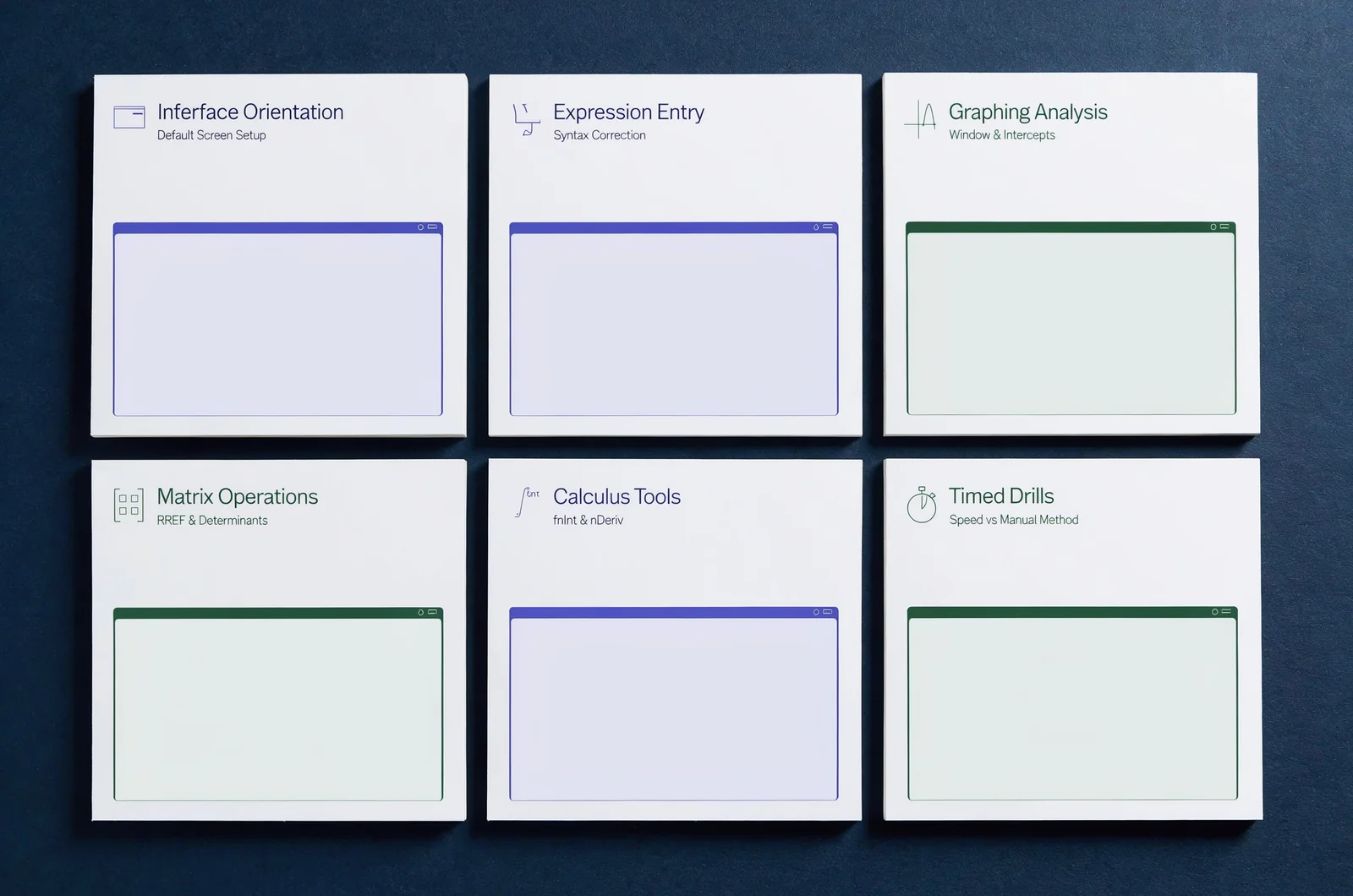
Six walkthrough formats for Praxis 5165 practice
Choose a Praxis 5165 calculator lesson according to the operation you need to rehearse. The following formats have different practice goals, so I’d judge each one against its own checkpoint.
Screen orientation for your first independent attempt
I’d choose an orientation walkthrough when you need to establish where to enter a calculation, inspect the input, and return to the question.
Look for a demonstration that begins with the calculator closed or in a clearly explained starting state. Require the presenter to show how to access it, identify the input area, and explain how to leave the calculator view. Verify each control against your confirmed interface.
For your replay task, use one short expression from your study material. Open the calculator, enter the expression, inspect it, and return to the problem without following the video.
Include a deliberate correction. Change one part of the input, restore it, and check the expression again before calculating.
The limitation is scope. An orientation lesson should earn its place through those navigation tasks; ask for a separate worked example before treating it as instruction in graphing or another operation.
If you already know the navigation, move to a task-specific lesson. My stopping point for orientation would be one complete attempt, including a correction, with every control accounted for in your own notes.
Expression-entry lessons for checking setup and correction
I’d prioritize expression-entry instruction when you want to rehearse translating written mathematics into calculator input.
Choose a lesson that makes the expression readable before evaluation. Look for explanations of grouping, negative values, fractions, powers, and any other notation used in its example. Verify the input conventions in the documentation for your confirmed calculator.
Use a practice expression you understand. Before entering it, mark the intended grouping on paper. After entry, compare the displayed input with that written structure.
Ask the tutorial to show a correction without skipping directly to a fresh expression. During your replay, make one intentional input change and repair it through the documented controls.
For a second attempt, choose another expression that requires the same entry decisions. Explain those decisions aloud or in a short note.
Keep the lesson’s limitation visible: do not treat a successful entry sequence as proof that you chose the right mathematical expression. Review the setup separately. I’d finish this lesson by writing why the grouping matches the problem, then checking the input one final time.
Graphing demonstrations with visible settings and interpretation
I’d choose a graphing walkthrough when your goal is to enter a function, establish a suitable viewing window, and explain what the displayed graph tells you.
Require the lesson to show the function entry and relevant display settings. If it changes a setting, look for an explanation connected to the problem. Confirm any graphing controls or analysis functions before adopting them.
For your first replay, use a function from a worked practice problem. Write down what you expect to investigate before opening the calculator. Then follow the demonstrated setup and compare the display with your written goal.
On another attempt, change the viewing window deliberately. Describe the part of the graph you want to inspect, and choose settings for that purpose.
If the lesson uses a tool to investigate a point, intersection, or other feature, record what output it asks you to interpret. Ask for the interpretation as part of the explanation.
I’d pass over a demonstration that leaves the input or settings unreadable. Before keeping any shortcut, reproduce its starting conditions and explain why the resulting display addresses the question.
Matrix walkthroughs for a confirmed operation
Consider a matrix lesson only after confirming both the operation you intend to practice and its availability in your calculator guidance.
I’d look for a walkthrough that makes the entire setup visible. Require the presenter to identify the matrix dimensions, show the entry order, and display the completed input before performing the operation.
For your replay, choose a small matrix exercise from material with an explained solution. Write the matrix and requested operation on paper first. Enter the values, compare the displayed matrix with your written version, and inspect the output.
Include correction practice by deliberately changing one entry, then restoring it through the documented controls. Keep the altered and corrected versions in your notes if that helps you follow the sequence.
The limitation is narrow coverage. Confirm exactly which operation the lesson demonstrates, and keep its recommendation within that boundary.
I’d retain the walkthrough if you can reproduce its operation and explain what the output means in the original problem. Finish by naming the operation beside your saved example; use a separate lesson for another matrix task.
Calculus walkthroughs for a documented numerical tool
I’d assess a calculus tutorial only after identifying the specific function it intends to use and confirming that function in your calculator guidance.
Keep separate practice goals for separate operations. If a lesson demonstrates evaluating a derivative or a definite integral, require it to show the complete input and explain the requested output. Verify the syntax and controls before copying them.
Choose a replay problem with an independently explained solution. Write the mathematical task first, including any point or interval supplied in the problem. Compare that setup with the calculator input before evaluating it.
Afterward, explain what the output represents. Read the original question again and decide how the result should appear in your response.
Give rounding its own check. Follow the precision requested by your practice problem, and record where you rounded during the attempt.
My limitation for this format would be any operation left undocumented or unexplained. Keep that operation out of your routine until you have appropriate guidance. End the lesson by writing the meaning of the output in words and checking it against the mathematical task.
Timed mixed demonstrations for choosing a method
I’d move to a timed mixed walkthrough after rehearsing the individual operations you intend to use. Give this format a decision-making goal: choose a method, carry it out, and review the answer.
Select a lesson that explains the reason for each calculator use. Require a clear mathematical setup before the control sequence, and look for an interpretation after the result.
For your replay, read a practice question and write your planned approach before starting a timer. Record the attempt without changing your pace to match the presenter.
Separate the time spent understanding the problem from the time spent entering and checking the calculation. If you need to revisit a control, note that specific step for later practice.
Treat timing advice as a suggested routine until you have assessed it in your own work. Do not adopt an exact sequence without verifying its starting state and available controls.
I’d keep a timed lesson if it makes the method choice understandable and gives you a sequence to assess independently. Finish by marking one task for further rehearsal.
Use this table to choose your first lesson according to your current practice goal:
| Tutorial format | Choose it when your goal is… | Replay checkpoint | Verification to require |
|---|---|---|---|
| Screen orientation | Navigate the calculator independently | Open, enter, correct, and return | Current interface and access controls |
| Expression entry | Check how written mathematics is entered | Reproduce and explain the grouping | Input syntax and editing controls |
| Graphing | Set up and interpret a graph | Explain the window and displayed result | Graphing controls and analysis functions |
| Matrix workflow | Complete one named matrix operation | Verify entries and explain the output | Availability of the exact operation |
| Calculus workflow | Use one documented numerical function | Explain the input and output | Function syntax and applicable limits |
| Timed mixed practice | Choose and execute a method | Record the attempt and review one sticking point | Relevant tasks and confirmed controls |
Rehearse a walkthrough without the presenter
For Praxis 5165 calculator practice, I’d judge a lesson through an independent attempt. Use the following 25-minute schedule as a suggested study block, and adjust it to your needs.
Keep the tutorial available for review, but write down the point where you return to it. That note gives your next rehearsal a specific target.
Spend five minutes choosing and predicting
Choose one example with an explained solution. Identify the operation you want to practice and check that it uses confirmed calculator functions.
Before watching the worked answer, write your mathematical setup. Note what you expect the calculator to help you investigate, and decide what explanation you will need afterward.
Limit this session to one operation. Save unrelated questions about other menus or functions for another lesson. Begin the demonstration only after you have written the task in your own words.
Spend eight minutes replaying the complete task
Watch enough of the walkthrough to understand its sequence. Then pause or close it and attempt the example independently.
Include the starting state in your replay. Check settings, enter the input, inspect it, perform the operation, and explain the output as the example requires.
If you return to the lesson, record the exact point of hesitation. Identify whether you needed help with navigation, notation, mathematical setup, or interpretation.
Finish the attempt before evaluating your pace. Save the completed input and your written interpretation for review.
Spend seven minutes trying a second example
Choose a second practice problem that asks for the same operation. Use material with an explained solution so you can review the attempt.
Write the setup afresh. Compare each calculator input with that setup, then interpret the output in the context of the new question.
If the second problem introduces another operation, set it aside for a separate lesson. Keep this block focused on the skill you selected.
Record any step that required help, and compare it with the hesitation from your first replay.
Spend five minutes reviewing the evidence
Review the mathematical reasoning and calculator mechanics separately. Check the intended expression or operation first, then inspect the entry, settings, and interpretation.
Write one specific adjustment for the next attempt. You might plan to check grouping before evaluation or read the requested precision before reporting a result.
I’d record progress with a concrete note about what you completed unaided. Keep any unresolved capability question marked for confirmation. End the session by choosing the exact operation for your next rehearsal.
Resolve calculator questions before test day
Use the questions below to settle the boundaries of your Praxis 5165 calculator practice. Keep each answer connected to your exact test and the resource you are considering.
Which calculator model should I practice with?
Use the model and version identified in current official guidance for your exact exam. Confirm the practice access instructions alongside that identification.
Before following a tutorial, compare its demonstrated interface with the documented one. Check a model reference in the title against the controls shown in the lesson.
Keep the specific model unresolved until you have that confirmation. Record the relevant guidance and its date beside your tutorial notes before selecting a model-specific walkthrough.
Can I use a physical-calculator demonstration?
Consider it for an operation only after comparing the demonstrated controls with your confirmed practice interface.
Assess the mathematical explanation and the control sequence separately. If you retain the explanation, still verify how to reproduce the task with your own interface.
Require a complete independent replay before adding the sequence to your routine. When a control or function cannot be matched, leave that part of the demonstration out of your practice notes.
Should matrix and calculus lessons be priorities?
Choose those lessons after checking the relevance of the intended task and confirming the required calculator function.
For each proposed lesson, write the exact operation you want to rehearse. Then connect it to a practice problem from your study material.
I’d prioritize the operation that is interrupting your current practice, once those checks are complete. If you cannot establish relevance or availability, reserve the study block for a confirmed task instead.
How should I judge a fast demonstration?
Require readable input, explained settings, and a clear mathematical purpose. Pause the lesson at the point where you need to make a decision independently.
Then replay the task at your own pace. Record any help you need before judging the timing advice.
Retain a suggested shortcut only after confirming its controls and starting conditions. Keep your own attempt times separate from the presenter’s, and review the operation before setting a pace target.
What should I review when an output surprises me?
Reread the question and inspect your written setup. Next, compare the entered expression with that setup and review the settings relevant to the operation.
Explain what the output is meant to represent. Use the worked solution to check that interpretation, then inspect any precision or answer-format instruction.
Before repeating the calculation, note the point where your attempt differs from the explained solution. Revisit that step and complete another independent attempt.
Keep calculator mechanics alongside mathematical reasoning
As you build your Praxis 5165 practice routine, keep two review notes: one for the mathematics and another for calculator use.
In the mathematics note, explain why you chose the expression, method, or operation. In the calculator note, record the input sequence, settings, and corrections you rehearsed. Attach both notes to the same practice problem.
If you already use ExamJungle during your study sessions, apply that separation when reviewing your work. Check any practice interface against current exam guidance before relying on its calculator behavior.
I’d choose your next lesson from the unresolved step in those notes. For a navigation problem, select an orientation walkthrough. For an interpretation problem, require a lesson that explains the output. If the mathematical setup remains unclear, review that setup before rehearsing another control sequence.
For your next study block, select one verified operation and complete it with an explanation of the result.
Set your Praxis 5165 score target