

A search for ACT test day calculator policy prohibited models calls for a device-specific answer: can you bring the calculator you already own? Model eligibility is unverified here. Use ACT’s current official calculator policy to confirm individual devices and preparation requirements; the guidance below explains how to make that check carefully.
I’d begin with the complete model label, examine restrictions that describe the device’s capabilities, and resolve uncertainty before choosing a calculator for practice. Keep any unanswered question marked unconfirmed. That gives you a clear boundary between a documented equipment decision and an assumption.
Start with the exact calculator in your bag
For your ACT calculator review, identify the physical device you intend to bring. Work from its label and documentation before searching for a familiar product-family name.
Record the complete model label
Copy the full model name, including letters, numbers, and any suffix. Photograph the front and the identification label so you can compare both with the policy language.
Avoid shortening the name in your notes. If you borrow a calculator, repeat this identification step with the borrowed device rather than carrying over a conclusion about your own.
For a hypothetical example, imagine two calculators with nearly identical names, but one adds a CAS designation. Treat them as separate devices during verification. Find wording that applies to the exact version in your hand.
Record the software version too if the policy makes it relevant. Keep physical model identification and software information in separate fields so you don’t confuse an update with a different hardware model.
Establish which instructions apply
Open ACT’s current official calculator instructions and check their stated scope. Look for any distinction relevant to your testing arrangement, then read any accompanying directions that apply to you.
If the document shows a publication or revision date, record it exactly. If it doesn’t, leave that field blank and note the date you consulted it.
Use manufacturer documentation to investigate the device’s identity or capabilities. Use ACT’s instructions to determine eligibility. In your notes, place the applicable policy wording beside the complete model name.
Read named models and capability restrictions together
When examining ACT’s calculator policy, look for both named devices and descriptions of restricted capabilities. Review whichever kinds of wording appear before reaching a decision.
Match the scope of a named entry
For each relevant model entry, read the surrounding sentence. Determine whether the wording addresses one model, a named series, a particular variant, or a broader category.
Pay attention to qualifiers and exceptions. Copy enough surrounding text into your private notes to preserve the meaning. A model name detached from its sentence is an incomplete basis for your decision.
Consider a hypothetical rule that prohibits an entire product family. Under that hypothetical wording, finding a different suffix would not settle eligibility. You would need an express exception or clarification that covers your version.
Now imagine a different rule that names only a specific variant. Apply that narrower wording carefully, then continue checking any other applicable restrictions. Keep the scope of each rule intact.
Handle an absent model cautiously
If your calculator’s name doesn’t appear, continue the review. Look for language about capabilities, device categories, keyboards, accessories, or required preparation.
Search the document using the complete model name, then inspect it without relying entirely on search results. Check whether your search covered the whole document, including any images or attachments.
Record what you found in plain language: an applicable restriction, an express permission, a stated preparation requirement, or an unresolved question. Avoid treating a failed search as the final answer.
If no wording clearly covers your device, prepare a clarification request with the full model details.
Work through CAS language without guessing
If ACT’s policy discusses a computer algebra system, or CAS, compare that wording with documentation for your exact calculator. Keep the eligibility decision attached to the policy’s definition and scope.
Investigate what the device documentation says
Look through the manufacturer’s manual or specifications for descriptions of symbolic manipulation, algebraic simplification, equation solving, and any explicit CAS designation. Record the terms you find without expanding their meaning.
Do not classify a calculator solely because a menu contains an algebra-related function. Instead, compare the documented capability with the restriction you are trying to interpret.
For a hypothetical example, suppose a manual describes solving equations, while the applicable testing rule addresses a particular kind of symbolic capability. Ask whether that documented function meets the rule’s definition. Leave the answer open until the wording supports a conclusion.
If technical terminology feels unclear, write down the exact phrase that needs explanation. A precise question about a documented function gives you something concrete to resolve.
Separate capabilities from current settings
Review the wording for what it actually regulates. Does it address the device’s capabilities, its installed software, its operating mode, or some combination?
If a hypothetical restriction prohibits a device category, merely avoiding one function would not satisfy that restriction. If another rule expressly permits a preparation step, follow its stated conditions.
Do not assume that disabling a setting, removing an application, or selecting an exam mode settles eligibility. Look for explicit support for the action you intend to take.
Avoid experimenting with modifications as a workaround. First establish whether the policy permits the device and describes an acceptable preparation procedure. Then follow that procedure exactly.
In your equipment notes, keep two entries: what the calculator can do, and what the applicable policy requires.
Inspect the keyboard and the complete device
If the ACT instructions address keyboard layouts or hardware characteristics, inspect the calculator as a physical object. Compare the actual arrangement with the rule’s wording.
Read keyboard terminology literally
If the policy uses QWERTY or another layout description, examine the relevant keys and consult the device documentation where necessary. Avoid making the decision from a vague resemblance.
Do not classify a keyboard merely because some keys contain letters. Likewise, do not infer eligibility just because the calculator looks compact or resembles another device you have seen used.
Take a clear photograph if you need clarification. Include the complete keyboard and model label rather than a cropped image of a few keys.
In a hypothetical case involving an attachable keyboard, review both the calculator and the accessory. Ask whether the relevant wording applies to the device, the keyboard arrangement, or the combined setup.
Review accessories and connections
Place the calculator beside the accessories you plan to pack. Examine covers, cables, adapters, removable attachments, and any other components against the applicable instructions.
For each item, ask whether the policy addresses bringing it, connecting it, or using it during testing. Keep those questions separate.
If you are considering a calculator application on another device, verify the eligibility of the underlying device before evaluating the application. Do not transfer a conclusion about a standalone calculator to a different setup.
Finish this review with a specific equipment description, including any accessories that still need clarification.
Distinguish prohibition from required preparation
When reading ACT’s instructions, separate an explicit prohibition from any procedure for preparing an otherwise eligible calculator. Apply each statement within its stated limits.
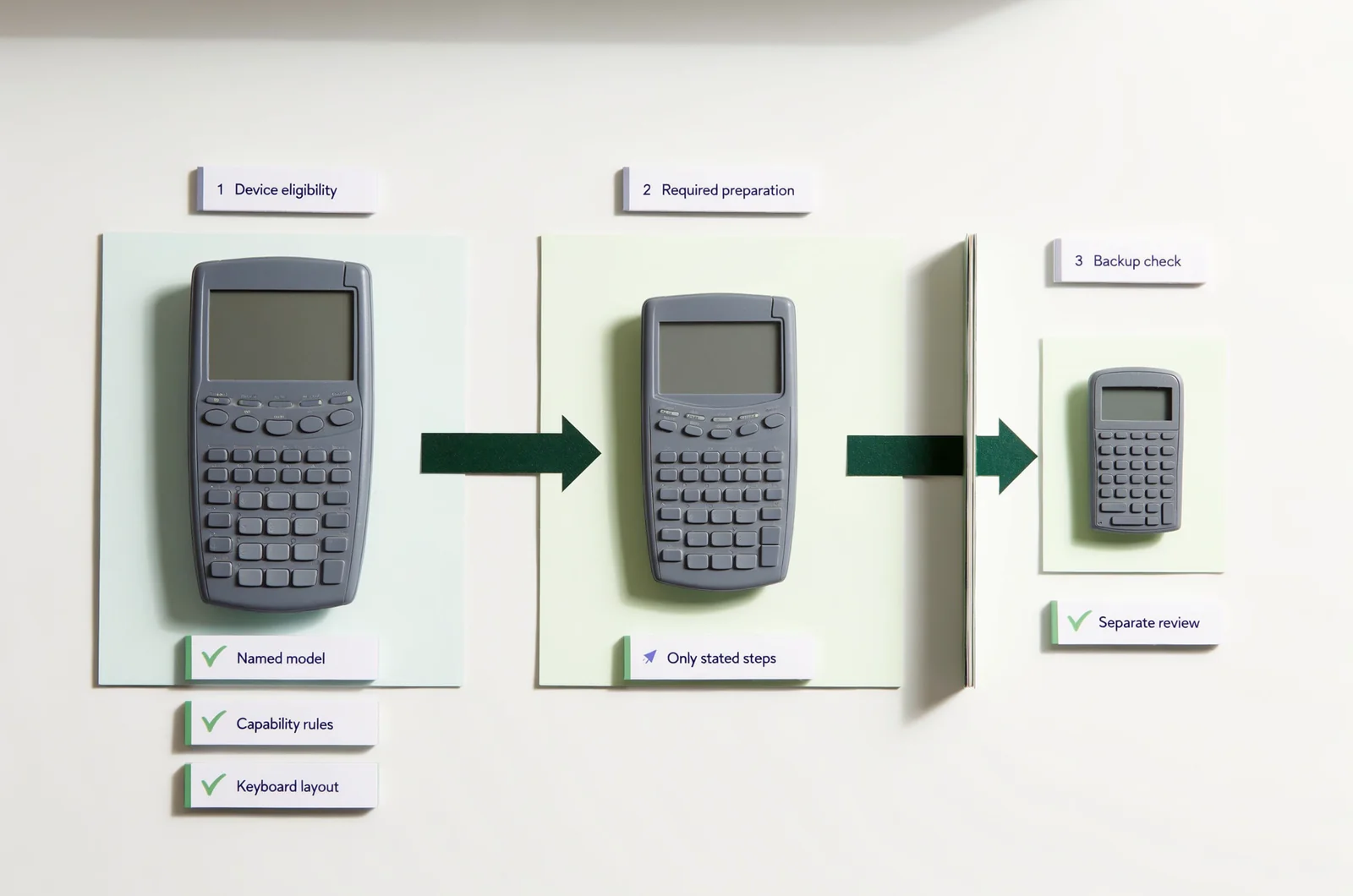
Follow only expressly permitted changes
Suppose a hypothetical policy permits a device after specified stored material has been removed. That instruction would apply to the stated condition. It would not automatically establish eligibility under every other restriction.
Work through the device decision first, then any preparation instructions. Where the policy makes those questions interdependent, follow its stated sequence.
Avoid inventing a universal reset procedure. Read the manufacturer’s directions before clearing storage or changing settings, and preserve personal material elsewhere if appropriate.
After completing an expressly required change, verify the result on the device itself. Check the relevant menus or settings rather than relying on memory.
Write down what you changed and which instruction required it. This gives you a practical record for preparing the calculator again.
Check the backup independently
If you intend to bring a backup, repeat the full review for that device. Identify its exact model, assess applicable restrictions, and complete any required preparation.
Do not treat familiarity with your primary calculator as evidence about the backup. Keep separate notes, especially if the devices have different names or capabilities.
Review the instructions for whether a backup may be brought or used. Then establish what you should do if your primary device stops working.
Prepare only the equipment you have verified. Leave unresolved accessories or devices out of your packing decision until you obtain clarification.
Resolve uncertainty with a precise eligibility question
If your ACT calculator review ends with an unresolved detail, formulate one focused question. Include the information needed to connect your device with the disputed wording.
Describe the actual uncertainty
Provide the complete model name, relevant software information, and the testing context. Identify the exact policy sentence you are trying to apply.
Explain what remains uncertain. For example, ask whether a stated restriction covers your particular variant, whether a documented capability falls within a named category, or whether a specified preparation procedure is sufficient.
Avoid asking only whether a calculator brand is allowed. Name the device and the condition you need clarified.
If you receive a response, read its scope carefully. Check that it addresses your model and testing arrangement. Preserve any conditions attached to the answer.
Record the date and the question alongside the response. Do not expand a narrow clarification into permission for other calculators or accessories.
Keep a usable equipment record
Maintain a short record containing the model name, relevant policy wording, required preparation, and any unresolved issue. Keep supporting material separate from study notes.
A useful interactive selector for this task would accept the exact model and variant, then show the applicable policy passage and required preparation. It should return unconfirmed whenever the evidence does not establish eligibility. Treat that as a tool idea, not an available approval service.
If clarification remains incomplete, continue evaluating another device rather than assigning your preferred calculator an unsupported status. Resolve equipment selection before committing the rest of your practice plan to it.
Rehearse with the setup you intend to use
After confirming your calculator choice, use that same setup during relevant ACT preparation. Keep the equipment decision connected to how you practice.
Review calculator use alongside answer reasoning
If you use ExamJungle while preparing, keep your calculator eligibility record alongside your study plan. Consult ACT’s official instructions for equipment decisions and use your practice sessions to examine your problem-solving choices.
For each calculation, write down why you chose that operation. Then compare the entered expression with the problem you intended to solve.
During review, distinguish a mathematical misunderstanding from an entry error. For a hypothetical example, if your written setup was correct but you entered a different value, practice entering and checking that expression.
If the setup itself was wrong, revisit the reasoning before repeating the calculation. Avoid responding to every incorrect answer by learning another device shortcut.
During ExamJungle practice, you could keep a separate note of questions where you reached for a function whose eligibility still needs verification. Resolve that equipment question before making the function part of your routine.
Practice a response to equipment trouble
Choose a few practice problems and work through them without relying on your preferred calculator function. Use this as a rehearsal exercise, without assuming anything about what will happen during the exam.
If you have confirmed permission to use a backup, practice its basic controls too. Work through the operations you expect to need and check that you can read the display comfortably.
Recheck the device after completing any required preparation. Confirm the settings you intend to use, then pack it according to the applicable instructions.
Keep your final practice session focused on the verified setup rather than introducing a different calculator at the last moment.
Handle an equipment question calmly on test day
If staff raise a question about your calculator, provide the exact model information and follow their directions. Keep any explanation brief and specific to the device.
Avoid debating from an unofficial article or assuming that another person’s equipment decision applies to you. Refer to the applicable instructions and any clarification you obtained.
If the calculator stops working, ask how to proceed before changing devices, borrowing equipment, or connecting an accessory. Follow the procedure given for your testing arrangement.
Do not assume a particular consequence for an equipment problem. Review the current testing terms beforehand for the rules that address prohibited devices and other irregularities.
If you need to record an issue afterward, describe observable details: the model involved, what happened, and the directions you received. Separate those details from your interpretation.
Before leaving home, check the full model label once more. Compare the packed calculator with your equipment record, and confirm that any expressly required preparation remains complete.
Questions to settle before packing your calculator
Use these questions to close gaps in your ACT equipment review. Attach an applicable policy passage or clarification to each eligibility decision.
What if my model is missing from the named list?
Continue through the capability and device-category restrictions. Check for relevant qualifications, exceptions, and preparation instructions.
If no passage clearly covers your calculator, keep its status unconfirmed and ask about the exact model. Do not substitute a conclusion about another calculator in the same family.
Does clearing memory establish eligibility?
Treat memory preparation as one question within the full review. First determine whether the device meets the applicable model and capability requirements.
Follow a clearing procedure only where the instructions require or permit it. Verify the result afterward, and avoid describing a reset as approval for the calculator itself.
Can I rely on having used it previously?
Recheck the instructions that apply to your upcoming test. Compare the physical device with the exact model information you recorded.
Treat previous use as a reason to identify what you brought, rather than as your current eligibility evidence. Resolve any difference between your earlier understanding and the present wording.
Should I replace a calculator I already know?
Confirm whether replacement is necessary before choosing another device. If your current model remains unresolved, evaluate an alternative against the same full set of instructions.
Consider your time for learning its controls and practicing relevant operations. Avoid choosing solely by appearance, brand familiarity, or the number of functions advertised.
I’d finish with a written decision for the exact device: the rule that applies, any required preparation, and the equipment to pack. Leave every unresolved point marked unconfirmed.
Choosing between the ACT and SAT